
The Connectors page is where you manage the authenticated links between Junipeer and your external systems. Every integration is built on top of one or more connectors — a Fortnox connector, a Shopify connector, a PSP connector — and this is where you inspect them, switch between them, and re-authenticate when credentials expire.
What the page shows
The Connectors view lists every connector involved in your current integration side by side. For example, a Shopify ↔ Fortnox integration you'll see two cards: one for Fortnox, one for Shopify. Each card shows:
The connector brand (Fortnox, Shopify, Qliro, etc.) with its logo
A Manage dropdown showing the currently selected connection
A connection status badge — Connected (green) or Not Connected (red)
A Manage Connections button to open the full connections list
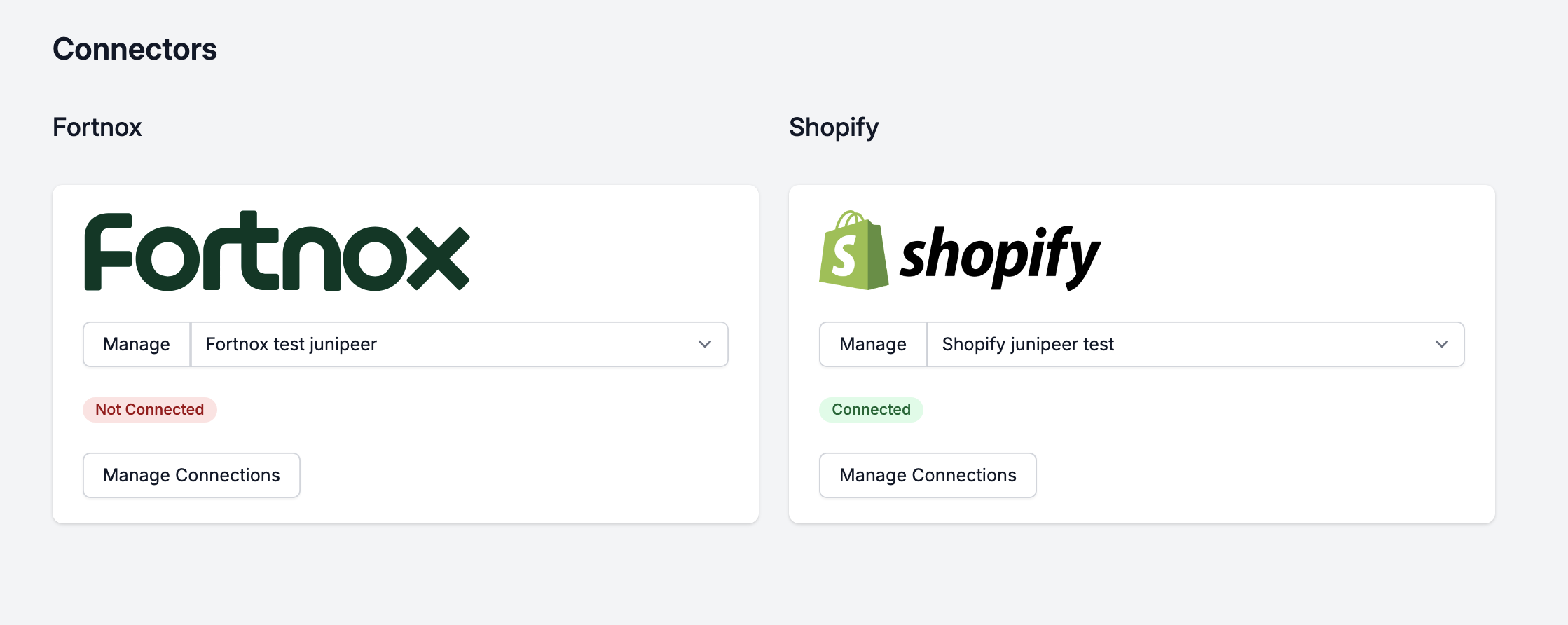
The status badge reflects the state of the currently selected connection on that card — not every connection you've ever set up. If Fortnox shows Not Connected, it means the specific connection currently attached to this integration is not authenticated. Switching to a different connection, or reconnecting, may resolve it.
To reconnect, click on "Manage".
To switch, click the dropdown to browse available connections or create a new one under "Manage Connections".
Note: The very first connection in your ecosystem is defined under the Get Started tab and "Connect systems". In most setups, this is sufficient, but the Connectors tab is very useful when handling multiple sets of logins and credentials.