
Tasks
The Tasks page shows every individual execution of every flow in your integration. Where the Flows page tells you what your integration does and the Entities view shows which records were processed, the Tasks view shows what actually happened when — each scheduled run, each manual trigger, each webhook-driven execution, listed in chronological order with a full audit trail.
What a task is
Every time a flow runs — because scheduling triggered it, because you clicked Export One, because a parent flow finished, or because a webhook arrived — Junipeer creates a task. A task captures:
Which flow ran
What triggered it (the origin)
What parameters it was given
What entities it processed
Whether it succeeded, failed, or ignored the input
Every log line produced along the way
Tasks are the raw operational history of your integration. If something ran, there's a task for it.
The list view
The Tasks list shows recent executions across all flows in the integration:
Status — how the task ended (completed, failed, running, pending)
Action — which flow was executed (e.g. Export Orders to Business Central)
Origin — what triggered it (scheduler, manual, webhook, trigger)
Created — when the task started
Updated — when it last changed state (usually when it finished)
View task — jump into the detail view
Simple task example:
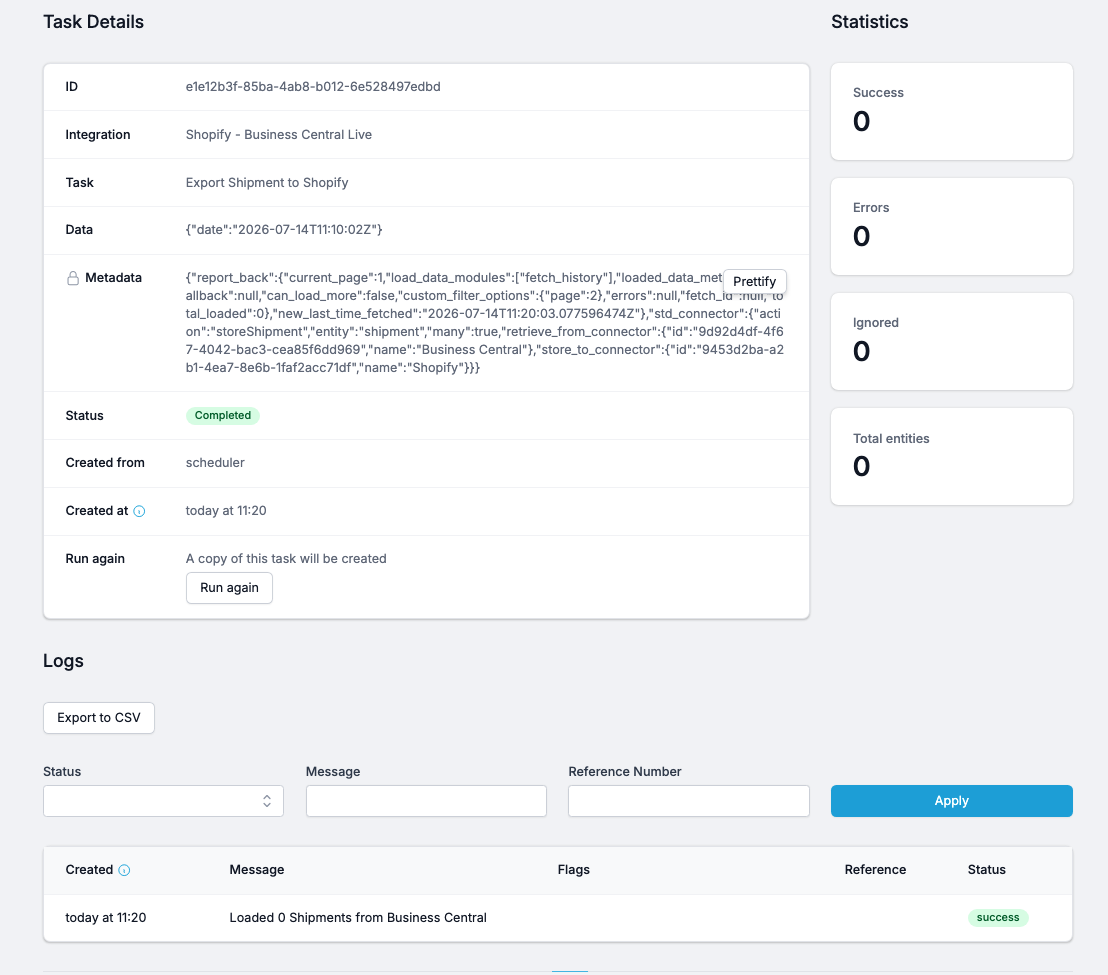
When the task is running, you can see the events coming in the real time.
Export to CSV downloads the full log set for offline analysis.
Common workflows
"Did the scheduled sync run at the expected time?"
Open Tasks
Filter by Origin: scheduler and Action: the flow you care about
Look at the Created column — is there a task every 15 minutes (or whatever your schedule is)?
If there's a gap, the flow was paused, disabled, or the scheduler was down for that window
"The sync ran, but nothing seems to have happened"
Open the task
Check the Statistics panel — was Total entities 0? Then the source system genuinely had nothing new
Was Ignored 100%? Then everything was already synced (healthy)
Was Errors > 0? Open the Logs section and filter by status: error to see what broke
"A specific order didn't sync — which task should have caught it?"
Open Tasks
Find tasks around the time the order was placed
Open each candidate task and search the Logs by the order's reference number
If the reference doesn't appear in any task, the order was never fetched — check Time History and cursor position
If it appears with status "ignored", read the message to understand why