
The Webhooks page is where Junipeer subscribes to real-time events from your connected systems. Instead of polling on a schedule, a webhook lets the source system push events to Junipeer the moment they happen — a new order, a completed payment, a refund or a delivery.
What is a webhook?
A webhook is an inverted API call. Instead of Junipeer periodically asking "anything new?", the source system says "here's a new event, do something with it." The connected system holds a registration for each event it should notify Junipeer about; when the event happens, the system fires an HTTP request to Junipeer with the event payload.
Webhooks are how some PSP integrations go live. The Start Syncing button and scheduling rules are for scheduled flows; PSPs sometimes don't use scheduling for order/refund events because they arrive too irregularly. Instead, each event type is subscribed to individually via a webhook.
For general scheduling context, see Scheduling flows in Junipeer.
The page layout
The Webhooks page is organised by connected system. Please consider this example:
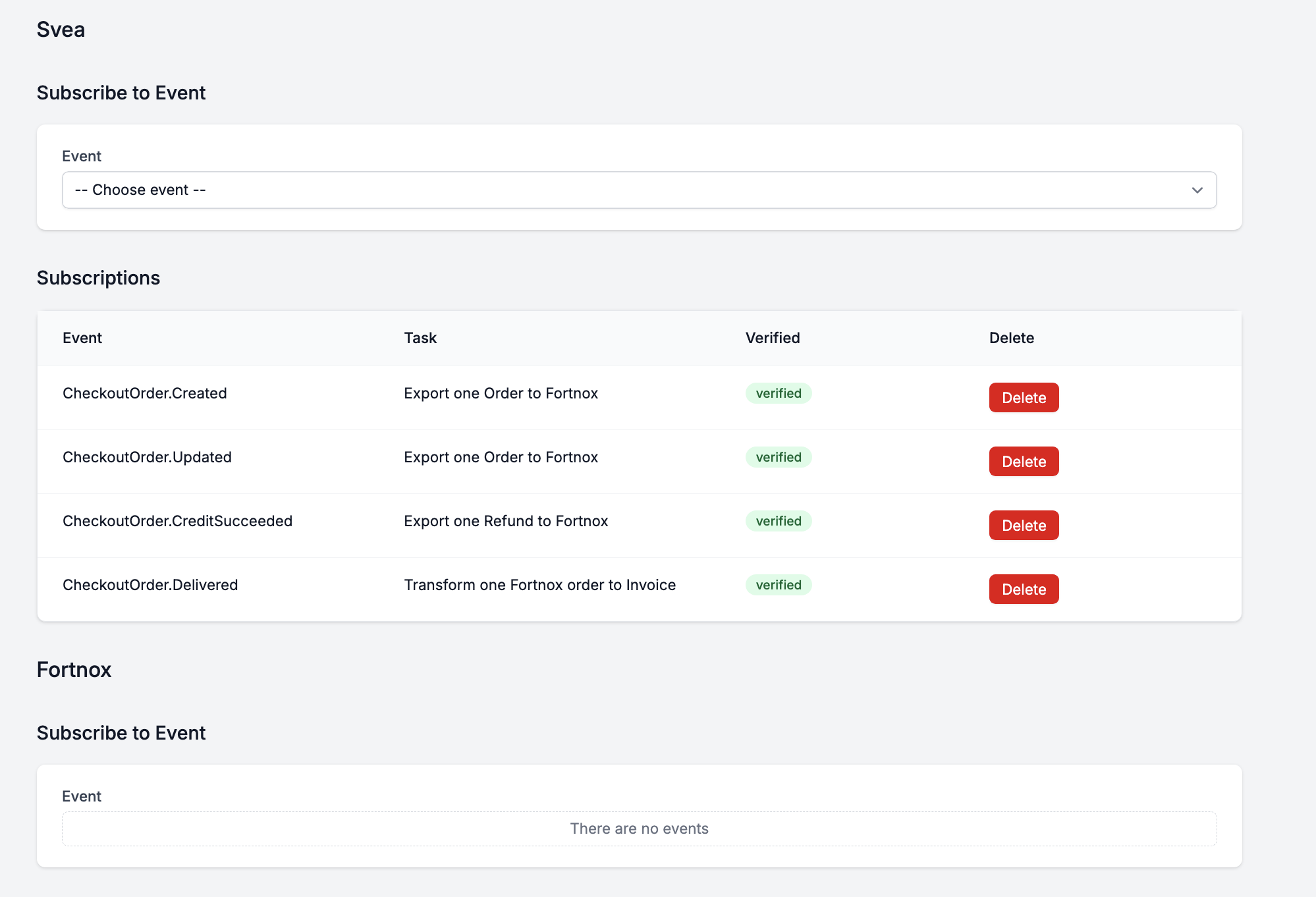
Svea — example webhook subscriptions on the PSP side
Fortnox — webhook subscriptions on the accounting side (not available, since Fortnox doesn't offer webhooks)
Subscribe to Event
A dropdown listing every event the connected system exposes that Junipeer knows how to handle. Pick one and confirm to create a new subscription.
The dropdown contents are determined by the connected system — Svea exposes different events than, for example, Norce. Not every event is listed; only the ones Junipeer supports processing.