
Order view
Click View on any record to open its detail page. This shows three sections:
Status, entity type, both references, and creation timestamp
One row summary of what this record represents
Example
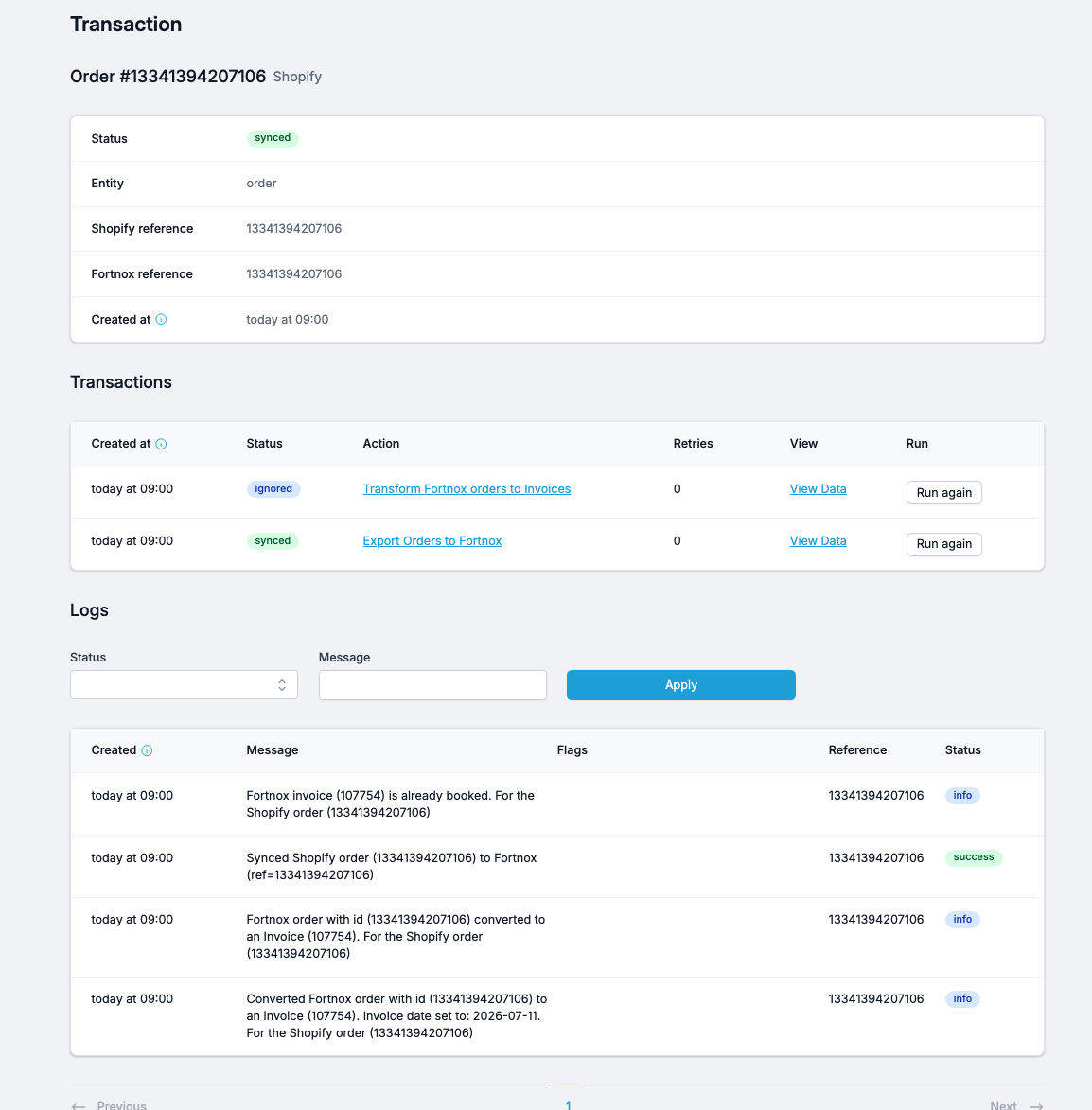
Transactions
The list of processing steps that ran on this record. For an order, you might see:
Export Orders to Fortnox — synced (the order was created in Fortnox)
Transform Fortnox orders to Invoices — ignored (already an invoice exists) or synced (invoice created)
Each transaction has:
Created at — when this step ran
Status — how it finished
Action — the flow that ran (clickable, opens the flow's settings)
Retries — how many times the step was re-attempted
View Data — inspect the raw payload sent to the destination
Run again — manually re-execute this step
Run again is not a rollback. Clicking Run again re-attempts the step against the destination system exactly as before. If the underlying reason for failure hasn't been fixed, it will fail again. Fix the root cause first, then re-run.
View data
Click to see the data payload that was transmitted between systems. This is a more tech-oriented view that indicates specific values in JSON structure. Very important when debugging issues.